NeoVim에서 :perldo 사용하기
설치
cpanm을 설치하고, Neovim::Ext를 설치한다.
brew install cpanminus
cpanm -n Neovim::Ext
이후 metacpan.org/pod/App::cpanminus를 참고하여 App::cpanminus를 설치한다.
curl -L https://cpanmin.us | perl - --sudo App::cpanminus
provider 확인
이후 NeoVim에서 perl provider를 확인해본다.
:checkhealth provider
OK가 나오면 성공이다.
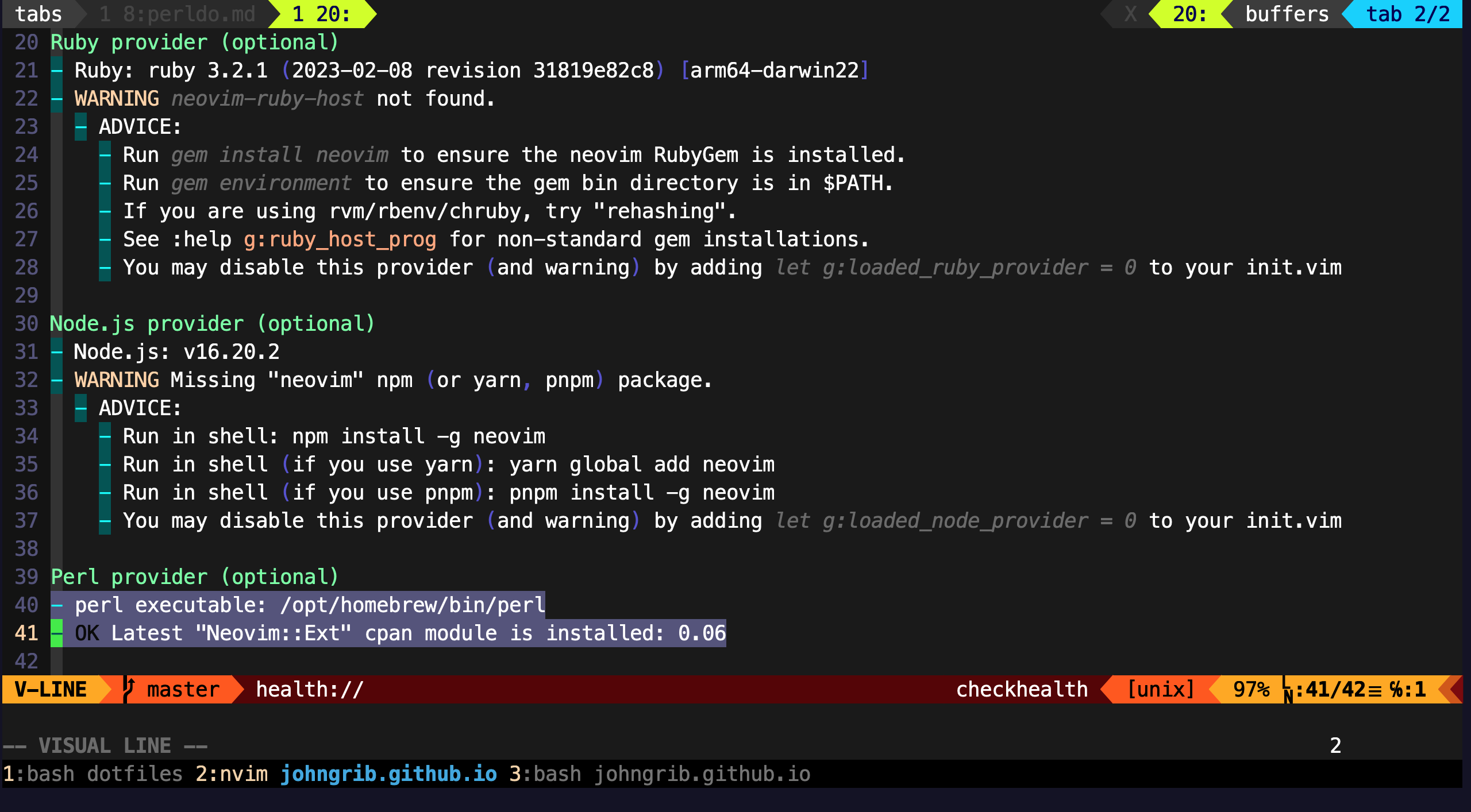
단, OK가 안 나오고 ERROR가 나와도 :perldo를 사용할 수 있는 경우도 있으니 실제로 실행해볼 것.
:help :perldo
:perldo
:[range]perldo {cmd}
Execute perl command {cmd} for each line in the[range], with $_ being set to the test of each line in turn, without a trailing
. In addition to $_, $line and $linenr is also set to the line content and line number respectively. Setting $_ will change the text, but note that it is not possible to add or delete lines using this command. The default for [range] is the whole file: "1,$".
[range]에 해당하는 각 line을 $_에 차례로 설정하고 perl 명령 {cmd}를 실행합니다. 따라붙는 <EOL>는 취급하지 않습니다.
또한 $_ 외에도 $line 및 $linenr은 각각 line 내용 및 line 번호로 설정됩니다.
$_에 값을 설정하면 텍스트가 변경되지만 이 명령을 사용하여 줄을 추가하거나 삭제할 수는 없습니다.
[range]의 기본값은 "1,$" 즉 전체 파일입니다.
Examples
search replace
:perldo s/pattern/replace/g
:perldo를 사용하면 [[/regex/pcre]]의 모든 기능을 사용할 수 있기 때문에 굉장히 강력하다.
현재 버퍼의 모든 라인을 뒤집는다
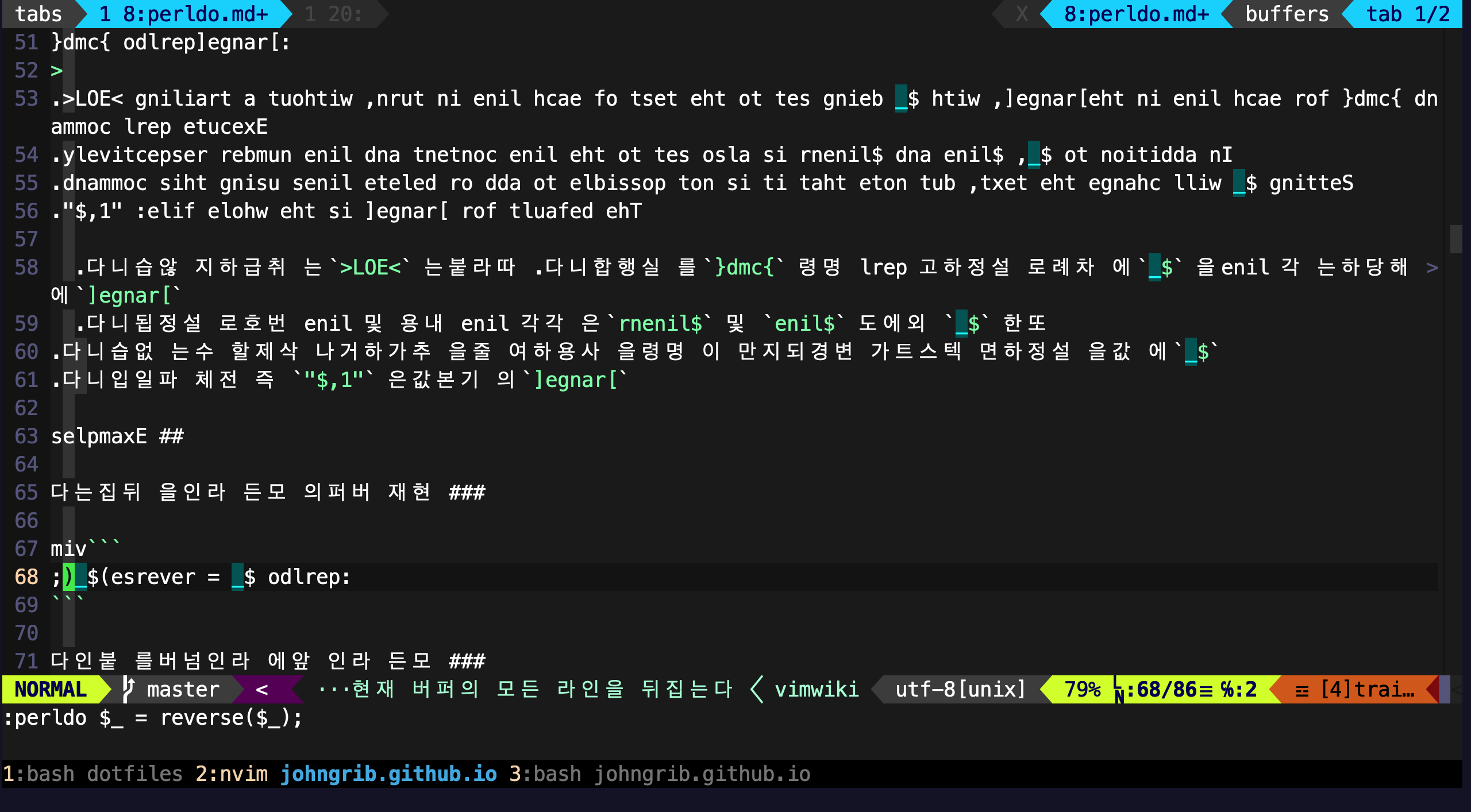
:perldo $_ = reverse($_);
아래는 이 명령을 실행한 결과이다.
모든 라인 앞에 라인넘버를 붙인다
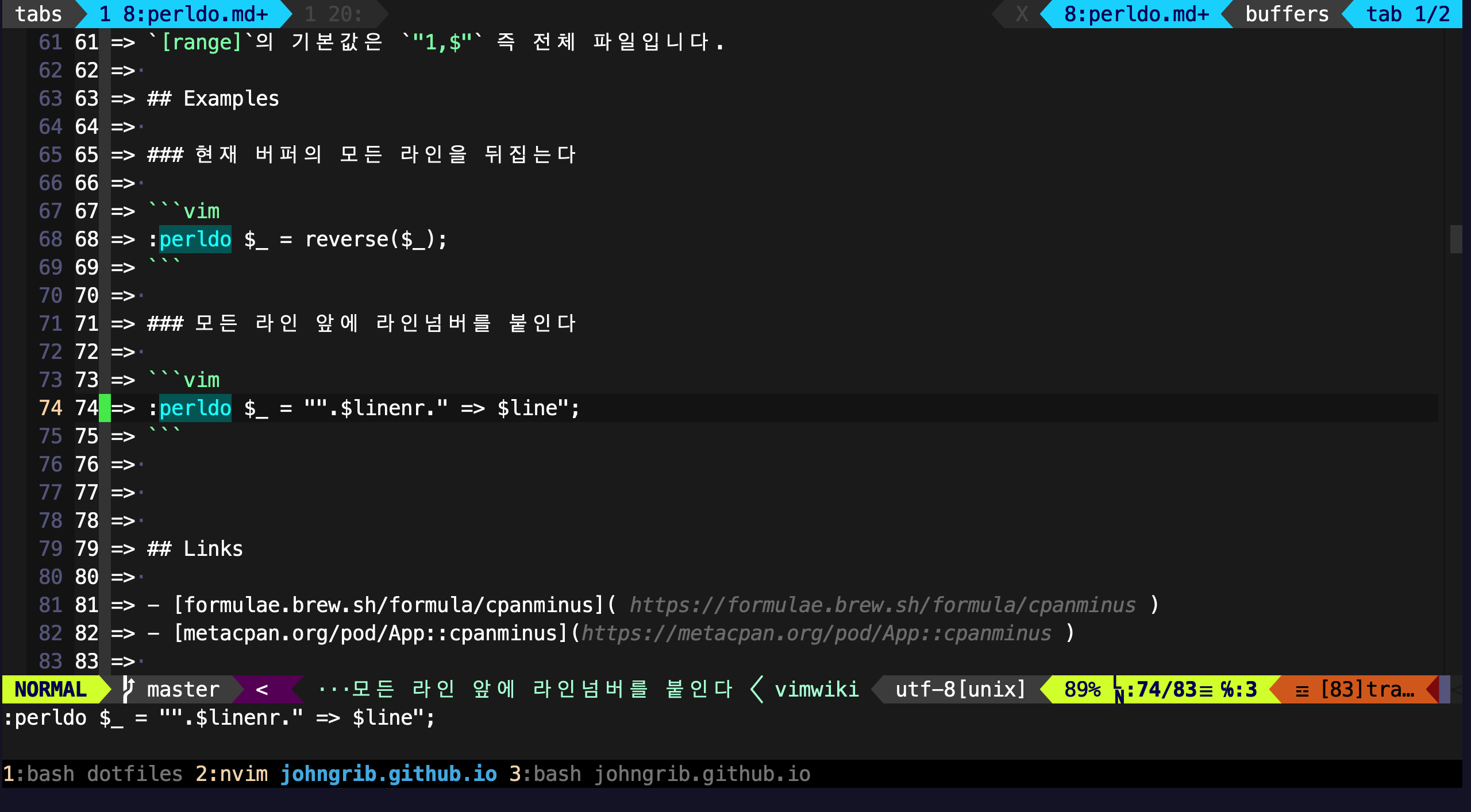
:perldo $_ = "".$linenr." => $line";
아래는 이 명령을 실행한 결과이다.